YuSurg
A downloadable game for Windows
YuSurg - Surgery Simulator
🏥 About The Game
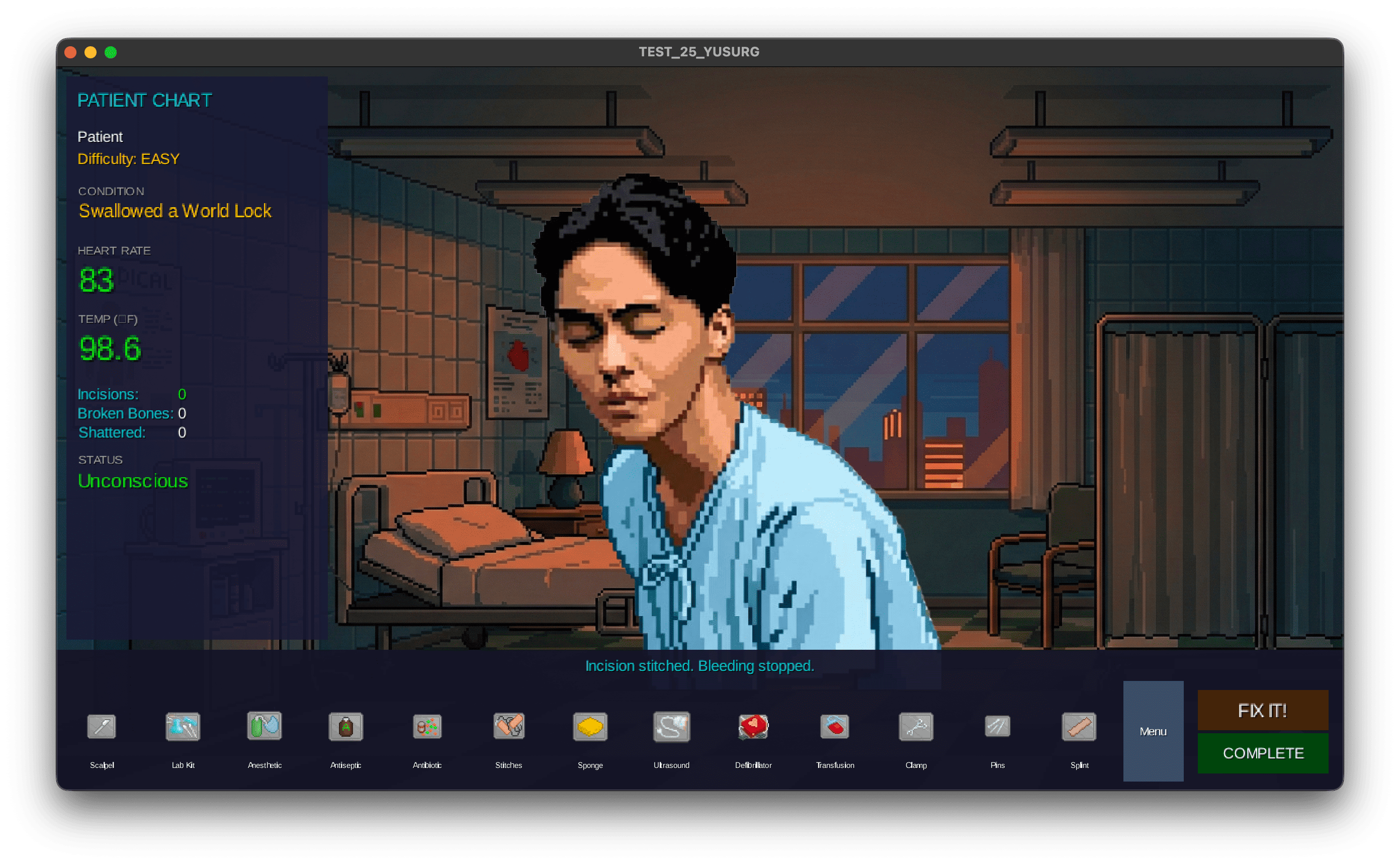
YuSurg is an intense medical simulation game where you step into the shoes of a surgeon performing life-or-death emergency procedures. Manage patient vitals, treat various maladies, and make critical decisions under pressure. Every tool use matters, every second counts, and one wrong move could be fatal.
Face challenging medical conditions including broken bones, internal trauma, fevers, and cardiac arrest. Keep your patient stable by monitoring their pulse, temperature, and surgical site conditions while racing against time.
🕹️ How to Play
Step-by-Step Guide for New Surgeons
Step 1: Start Your Shift 🏥
- Launch the game
- Log in or create a new account
- Select your difficulty level (Easy, Medium, or Hard)
- A random patient with a condition will be assigned to you
Step 2: Diagnose the Patient 🔍
- Use Ultrasound - Reveals hidden conditions (all conditions start hidden!)
- Check vital signs - Monitor Pulse, Temperature, and patient status
- Identify the condition - Different conditions require different treatments
Step 3: Treat the Patient 💉
- Select the appropriate tool from the toolbar
- Click on the tool to use it
- Read the feedback message to see if it worked
- Repeat until the condition is cured
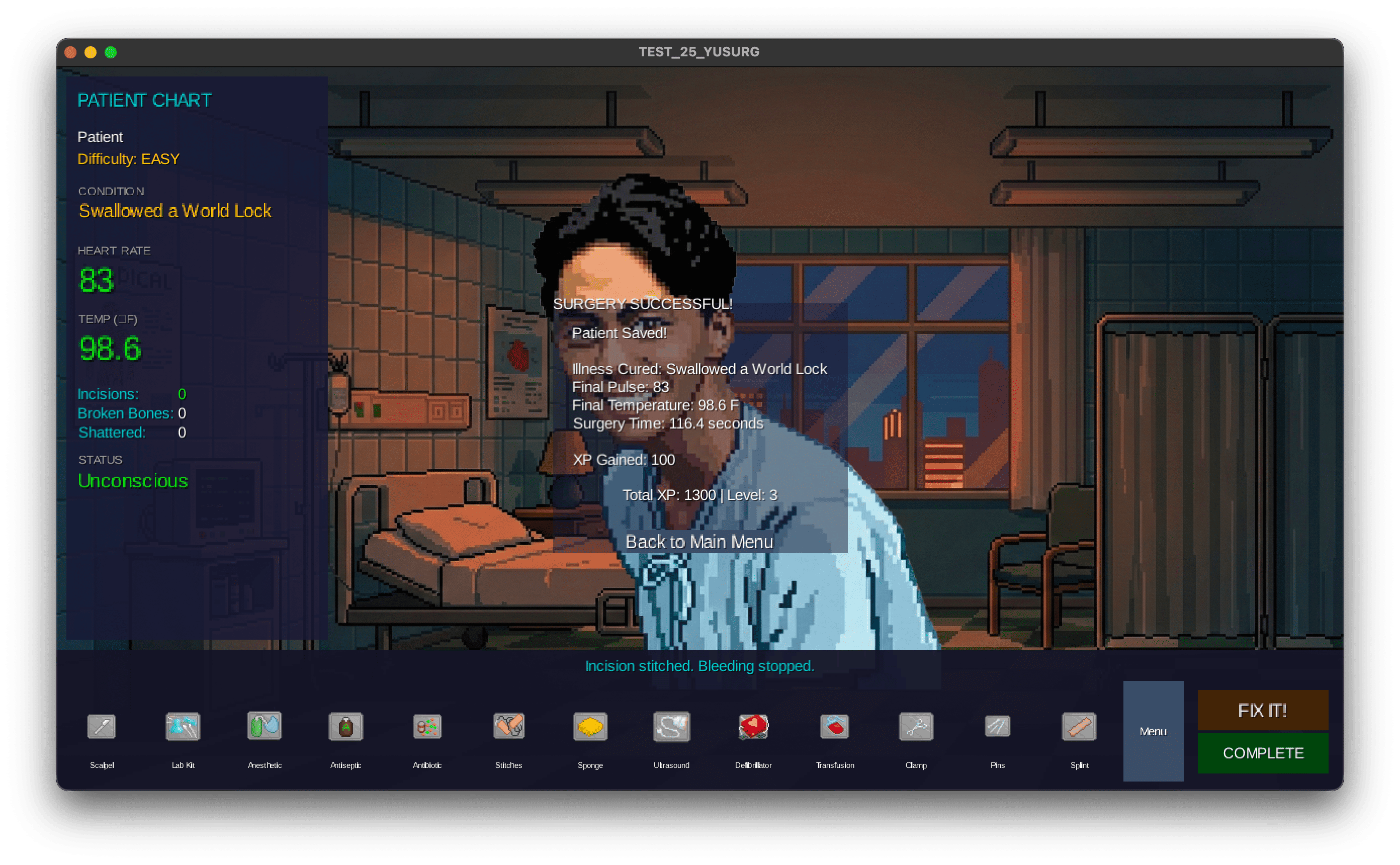
Step 4: Complete the Surgery ✅
- Ensure all conditions are treated
- Close any open incisions with Stitches
- Click "Complete Surgery" when ready
- Celebrate your success and earn XP! 🎉
🎮 Controls
| Action | Control |
|---|---|
| Select Tool | Click on tool icon |
| Use Tool | Click selected tool button |
| View Patient Info | Check the vitals panel |
| Complete Surgery | Click "Complete Surgery" button |
| Fix Internal Trauma | Click "Fix It" button (when available) |
| Return to Menu | Click "Back to Menu" button |
🎚️ Difficulty Levels
| Difficulty | Conditions | XP Reward | Description |
|---|---|---|---|
| 🟢 Easy | Simple conditions | 100 XP | Broken bones, Flu, Minor surgeries |
| 🟡 Medium | Moderate conditions | 200 XP | Organ infections, Heart issues |
| 🔴 Hard | Critical conditions | 300 XP | Major trauma, Brain surgery |
🚀 Getting Started
📝 Creating an Account
- Launch YuSurg
- Click "Sign Up" on the login screen
- Enter your desired username
- Enter a secure password
- Click "Register"
- You're ready to operate! 🎉
🔐 Logging In
- Launch YuSurg
- Enter your username
- Enter your password
- Click "Login"
- You'll be taken to the Main Menu
🎯 Starting a New Game
- From the Main Menu, view your stats:
- Dr. [YourName] - Your surgeon identity
- Surgeon Level - Your current rank
- Total XP - Your career experience points
- Choose a difficulty:
- Easy - For learning the basics
- Medium - For experienced players
- Hard - For surgical masters only!
- A random patient will be assigned
- Start operating!
🏆 Win Conditions
To successfully complete surgery:
- ✅ All conditions must be cured
- ✅ All incisions must be stitched closed
- ✅ Patient must be alive
- ✅ Click "Complete Surgery" button
💀 Lose Conditions
Surgery fails if:
- ❌ Patient's pulse reaches 0 and not revived in time
- ❌ Patient dies from pain (screaming + wrong tool)
- ❌ You use Scalpel on a screaming patient
🔧 Surgical Tools Guide
Complete Tool Reference
| Tool | Icon | Requirement | Success Effect | Fail Effect |
|---|---|---|---|---|
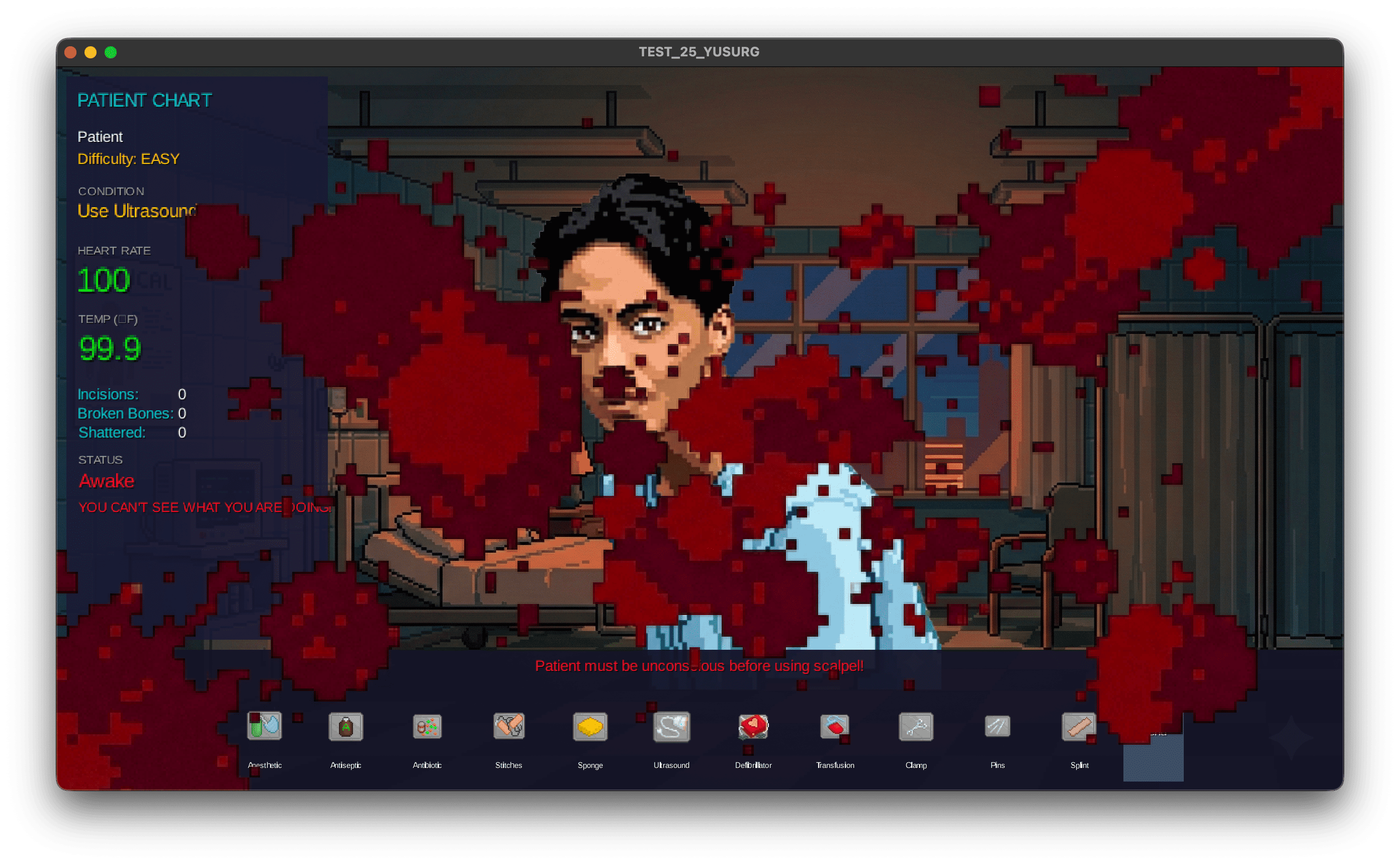
| 🔪 Scalpel | scalpel.png | Patient unconscious | +1 Incision | Heavy bleeding |
| 💉 Anesthetic | anesthetics.png | None | Patient unconscious | Vision blur |
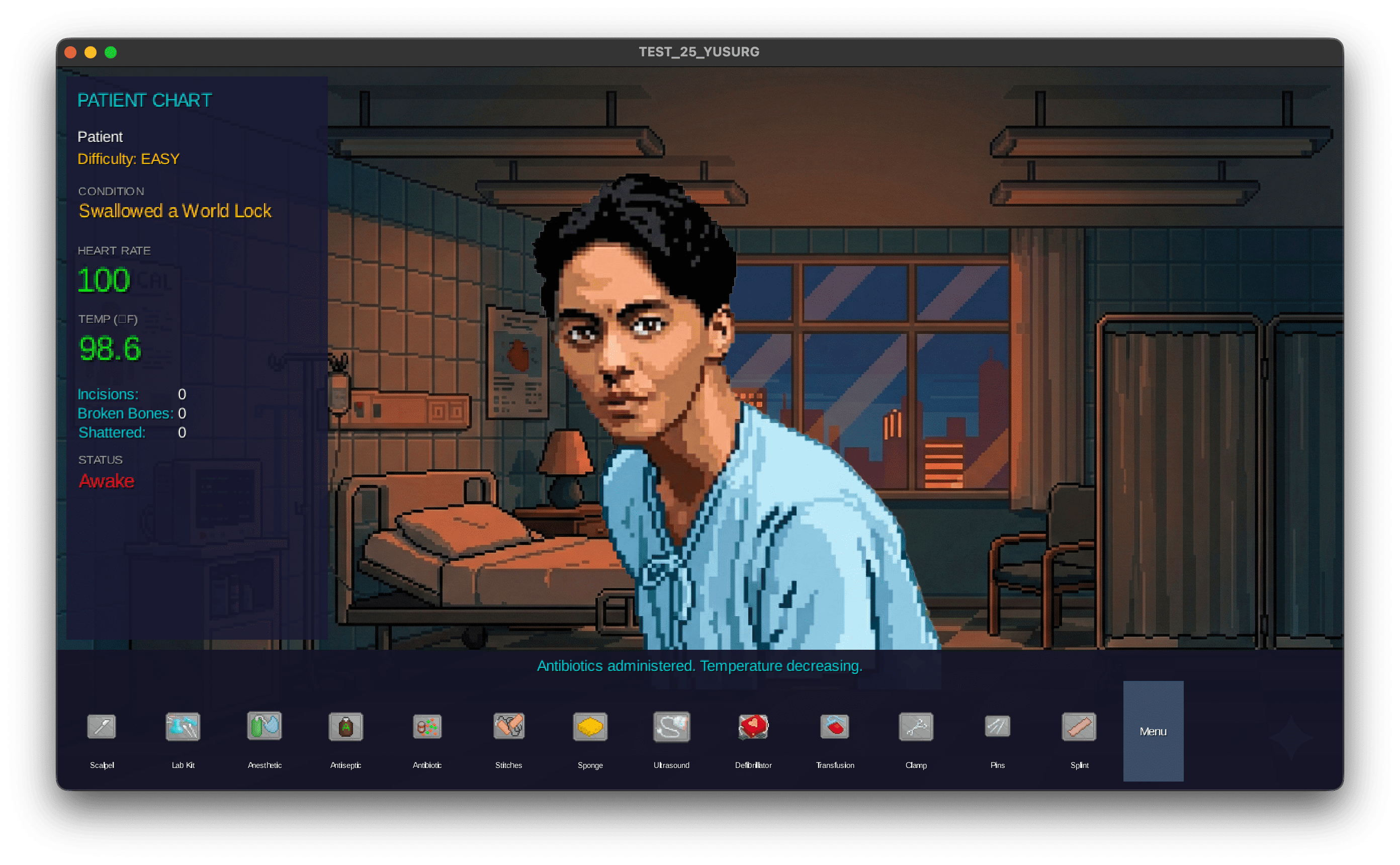
| 🧪 Lab Kit | labkit.png | None | Unlock Antibiotics | No effect |
| 💊 Antibiotic | antibiotics.png | Lab Kit used first | -2°F Temperature | +1.5°F Temperature |
| 🧴 Antiseptic | antiseptics.png | Site unsanitary | Site sanitized | No effect |
| 🧵 Stitches | stitches.png | Open incision | Close incision | Incision stays open |
| 🧽 Sponge | sponge.png | None | Restore visibility | "You ate the sponge" |
| 📡 Ultrasound | ultrasound.png | None | Reveal conditions | "Scanned the nurse" |
| ⚡ Defibrillator | defibrillator.png | Heart stopped | Revive patient | Shock yourself |
| 🩸 Transfusion | transfusion.png | None | +20 Pulse | Site contaminated |
| 🔧 Clamp | clamp.png | Patient bleeding | Slow bleeding | "Dropped it" |
| 📌 Pins | pins.png | Shattered bone | Fix shattered→broken | Heavy bleeding |
| 🦴 Splint | splint.png | Broken bone | Fix broken bone | Cut patient |
❓ Troubleshooting
Common Issues & Solutions
🔴 Login issues
- Check your internet connection
- Verify username and password
- Try creating a new account
🔴 Game not starting
- Ensure Java is installed (JDK 11+)
- Check system requirements
- Try restarting the application
👥 Development Team
🧑💻 YUSRI - Backend Integration & Core Logic
- api/ (AuthService.java, BackendService.java)
- manager/ (GameManager.java, TokenManager.java)
- model/ (AuthResponse.java, DifficultyLevel.java, Malady.java, Patient.java, PatientObserver.java, PlayerData.java)
- state/ (CriticalState.java, DeadState.java, PatientState.java, StableState.java)
- factory/ (MaladyFactory.java)
- controller/ (ToolCommand.java, UseTool.java)
🧑💻 NICO - UI/View & Tools Implementation
- view/ (AuthLoginScreen.java, AuthSignupScreen.java, LoginScreen.java, MainMenuScreen.java, ResponsiveSurgeryUI.java, SkinFactory.java, SurgeryScreen.java)
- tools/ (Semua file surgical tools - 14 files)
- assets/ (Semua gambar dan resources)
- Main.java
🧑💻 DAFA - Core Game & Player Features
Fokus: Model, Repository, Service untuk Game Session & Player
🧑💻 DAVID - Authentication & Configuration
Fokus: Security, Auth, Config, Exception Handling
🔗 Links
GitHub Repository: https://github.com/davidalexander24/FINPRO_OOP
🎨 Credits
Frameworks & Libraries:
- libGDX - Game development framework
- Spring Boot - Backend framework
- Gradle - Build automation
Assets:
- Growtopia icons: https://growtopia.fandom.com/wiki/Guide:Surgery
⚠️ Content Warning
This game contains medical themes including surgery, blood, and patient death. Player discretion is advised.
Can you save the patient before it's too late?
Download
Install instructions
💻 Windows Installation Instructions
System Requirements:
- OS: Windows 10 or later (64-bit)
- Java: Java 17 or higher (included in the download)
- RAM: Minimum 512MB
- Storage: 100MB free space
Download & Installation Steps:
-
Download the Game
- Click the "Download Now" button on this page
- Select TEST_25_YUSURG-winX64.zip
- Save the file to your desired location (e.g., Downloads folder)
-
Extract the ZIP File
- Right-click on the downloaded
TEST_25_YUSURG-winX64.zipfile - Select "Extract All…" from the context menu
- Choose a destination folder (e.g.,
C:\Games\YuSurg) - Click "Extract"
- Right-click on the downloaded
-
Run the Game
- Navigate to the extracted folder
- Double-click on
TEST_25_YUSURG.exeto start the game
Alternative method (if .exe doesn't work):
- Navigate to the
jre\binfolder inside the extracted directory - Double-click
java.exeorjavaw.exe - Or open Command Prompt in the game folder and run:
jre\bin\java.exe -jar TEST_25_YUSURG.jar
-
Troubleshooting
- If Windows displays "Windows protected your PC":
- Click "More info"
- Click "Run anyway"
- If the game doesn't start, ensure you have extracted all files (don't run from inside the ZIP)
- If Windows displays "Windows protected your PC":
Leave a comment
Log in with itch.io to leave a comment.